


One school building. Six survey outputs. One site visit.
A coordinated survey package including roof and façade condition imagery, condition reporting, a 3D model, a Revit model, measured elevations and a topographical survey, all delivered through our secure online portal.
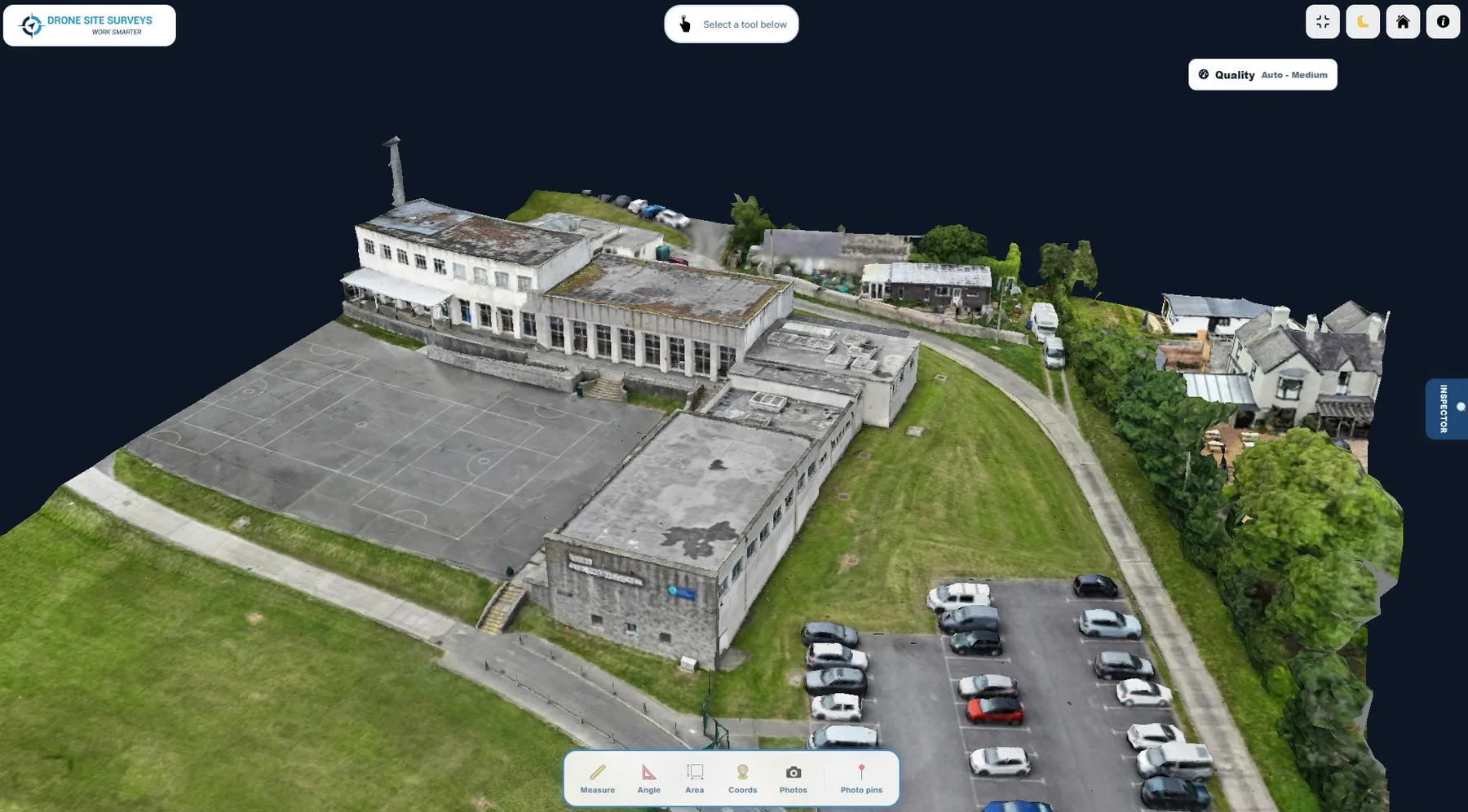
A complete external picture of the building, in one coordinated survey
1The brief
The client needed a complete building survey package: close-up roof and façade condition imagery with supporting reports, a 3D model, measured elevation drawings, a Revit model and a topographical survey of the surrounding site.
2Our approach
One surveyor attended site and captured overlapping drone imagery of the roof and façades. Ground control points were set out around the site to improve accuracy and geo-reference the data.
Top-down and angled images were then captured on a structured grid flight to build a complete visual and 3D record. Capture was non-invasive and took around five hours.
3Delivery
The data was processed with specialist software and uploaded to our online viewing platform. Our in-house surveyors reviewed it, prepared the reports and issued every deliverable through a secure online portal.
Six outputs from a single site visit
Each deliverable links to the service behind it, so you can see what it would include for your building.
Roof imagery & report
Close-up imagery in six zones, with condition reporting.
Roof surveys →Façade imagery & report
Every elevation assessed, with written defect reporting.
Façade surveys →Interactive 3D model
Browser-based model of the building and its setting.
3D modelling →Revit model
A digital model for planning, design and future works.
CAD & Revit →Measured elevations
North, south, east and west elevation drawings (.dwg).
CAD & Revit →Topographical survey
Levels, contours, boundaries and access across the site.
Topographical surveys →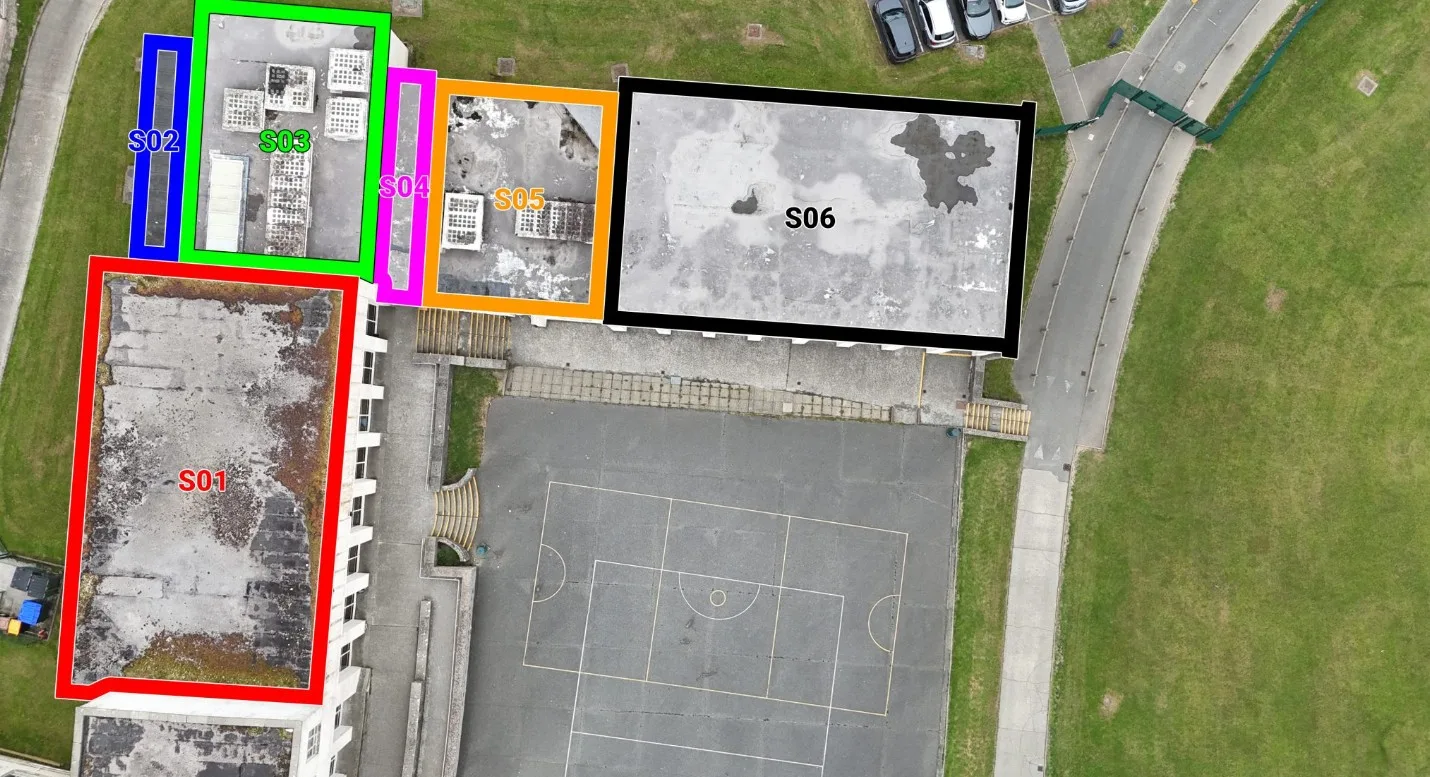
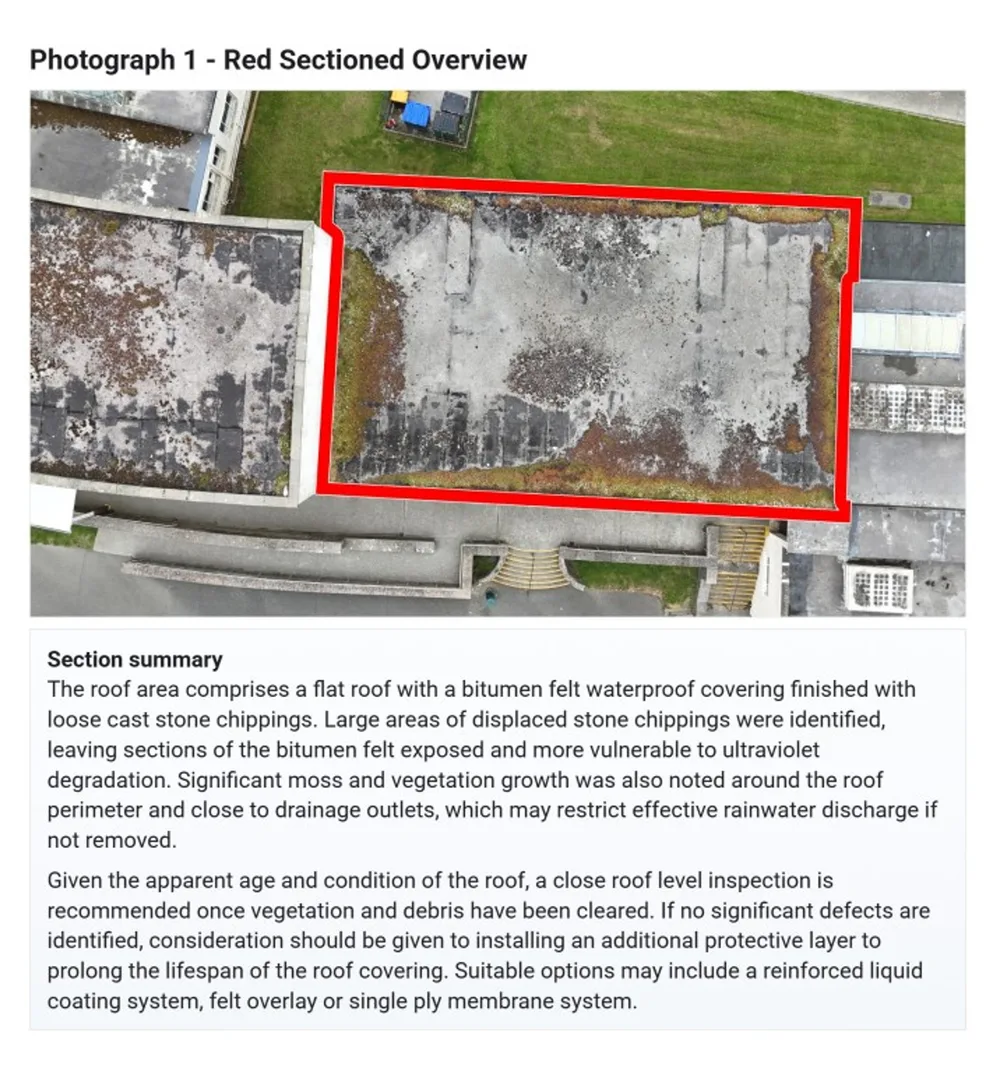
Colour-coded roof zones make a large dataset easy to navigate
The roof was split into six colour-coded sections, S01 to S06, so imagery and observations could be reviewed in a clear, structured way.
Key observations
- Displaced stone chippings
- Vegetation and moss growth
- Exposed areas of the waterproof covering
- Debris around edges and drainage points
Large areas of displaced chippings had left sections of the bitumen felt exposed and more vulnerable to UV degradation. A close inspection was recommended once vegetation and debris had been cleared.
Why zoning matters
Clients can quickly find a defect, see where it sits on the roof plan and use the same zones for future inspections, maintenance planning and remedial works.
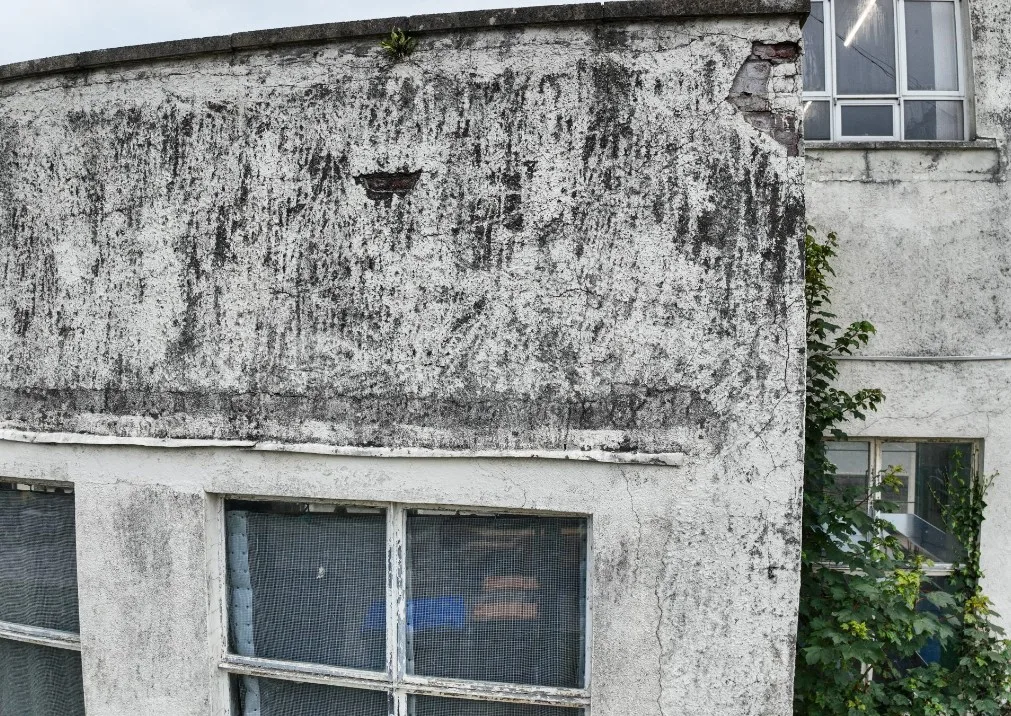
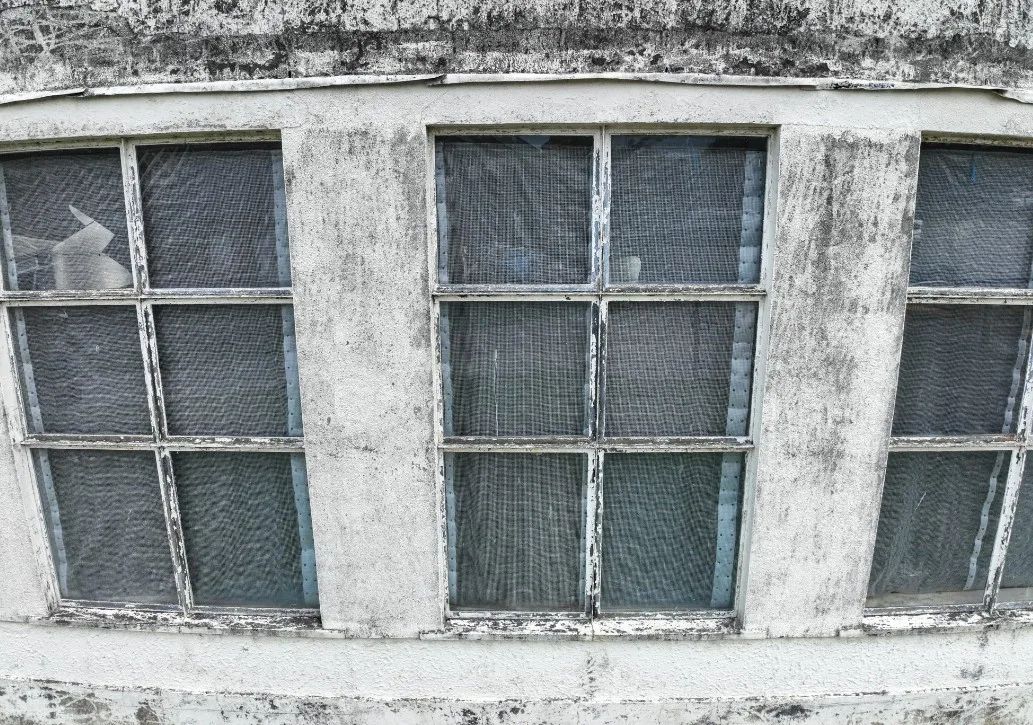
External condition assessed elevation by elevation
High-resolution imagery of each elevation was used to assess condition and support written defect reporting.
Issues identified
- Weathered and stained render
- Surface cracking above openings
- Biological growth and moisture staining
- Deteriorated paint finish to windows and frames
Further evidence of horizontal cracking was noted to the cement render above several window openings within this area.
Linked reporting
In the portal, each defect is illustrated, described and prioritised alongside the imagery that supports it.
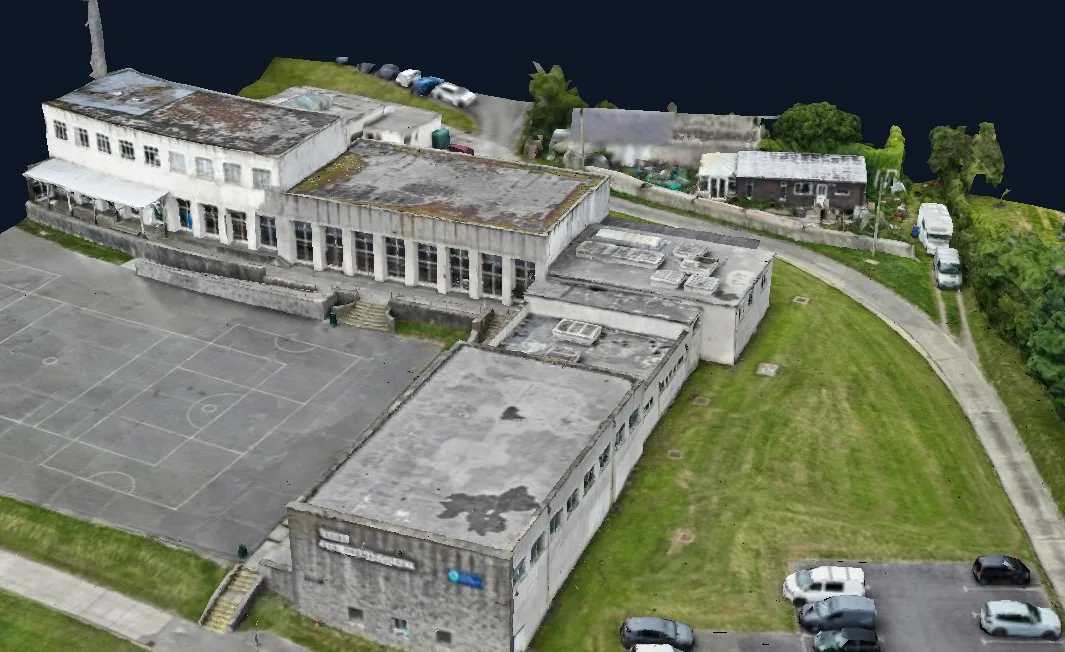
Survey data as an explorable, actionable resource
The interactive 3D viewer turns survey data into a reference the whole project team can use for the life of the project.
From survey capture to design-ready information
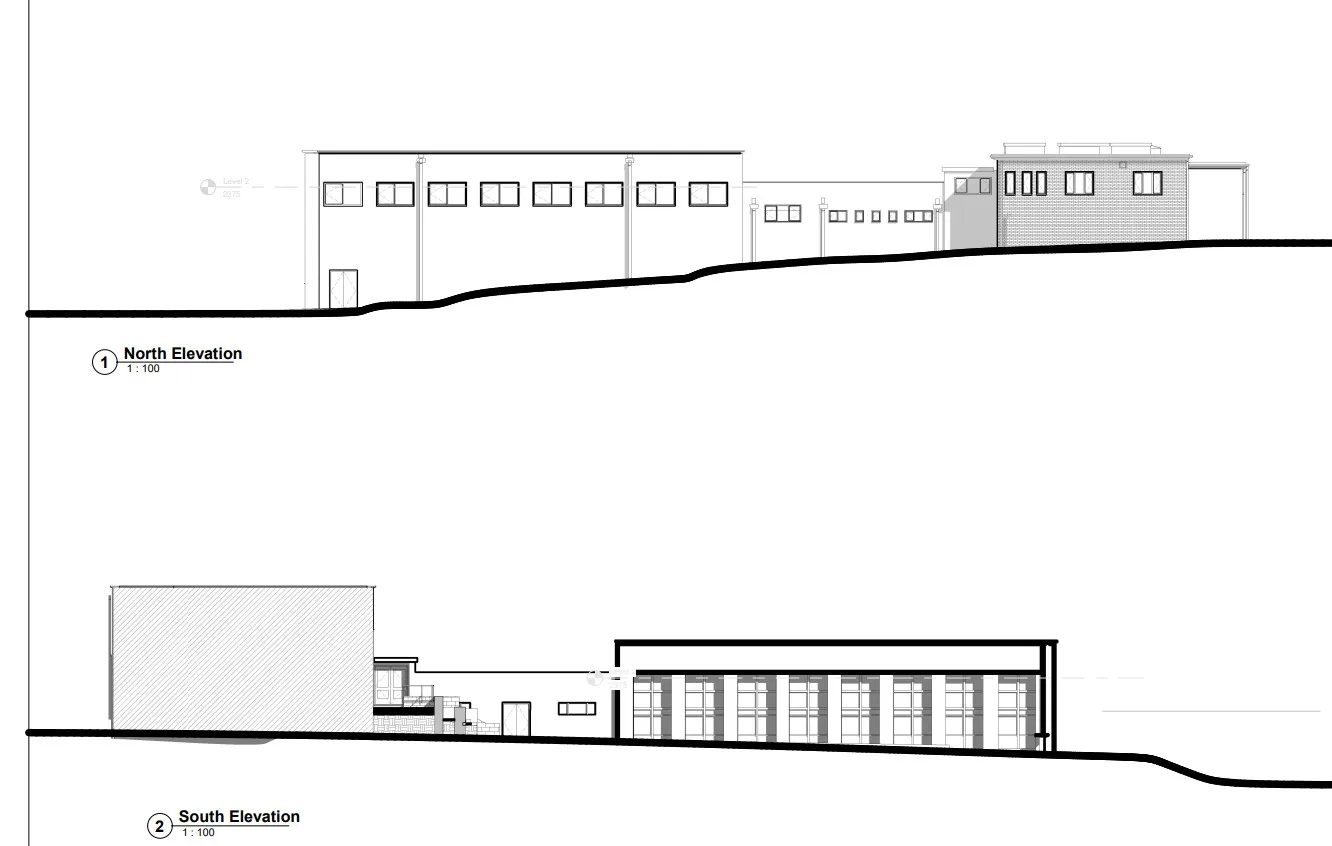
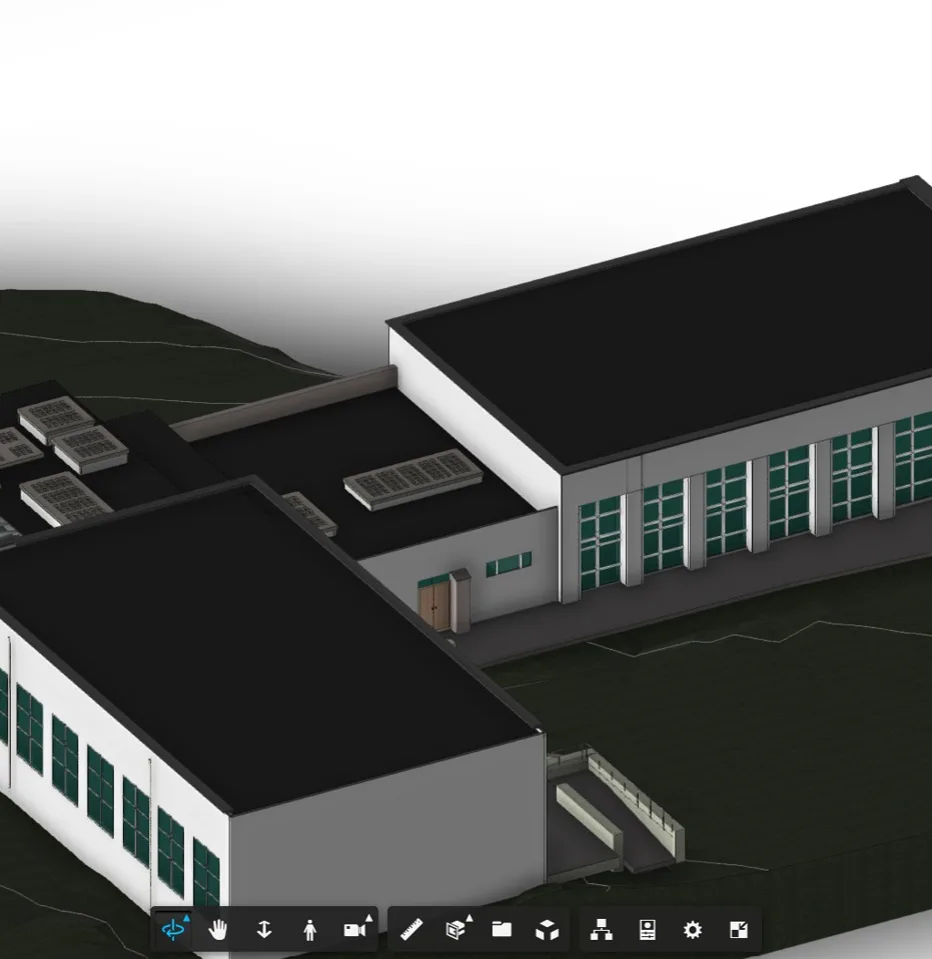
Design-ready information
- Coordinated building geometry from drone and LiDAR data
- Measured elevations issued as drawings
- A digital reference for refurbishment and asset management
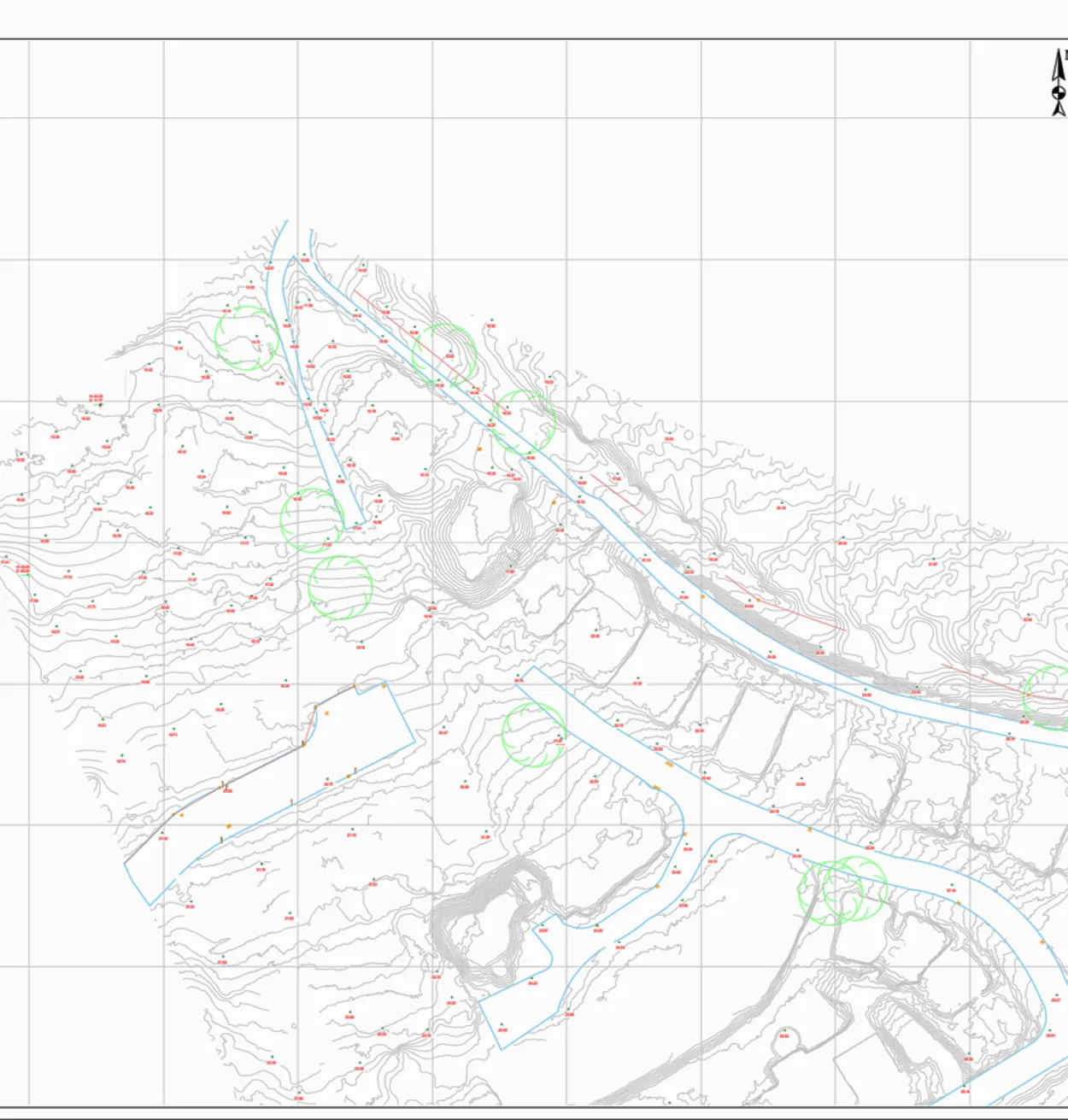
Understanding the building within its wider site
Alongside the building outputs, the project included a topographical survey to give the design team full site context.
- Contours and site levels
- Building position within the site
- Boundary and access context
- Supporting information for planning and coordination
Why it matters
Bringing building and site data together shows how the asset sits within its surroundings and supports coordinated decision-making.
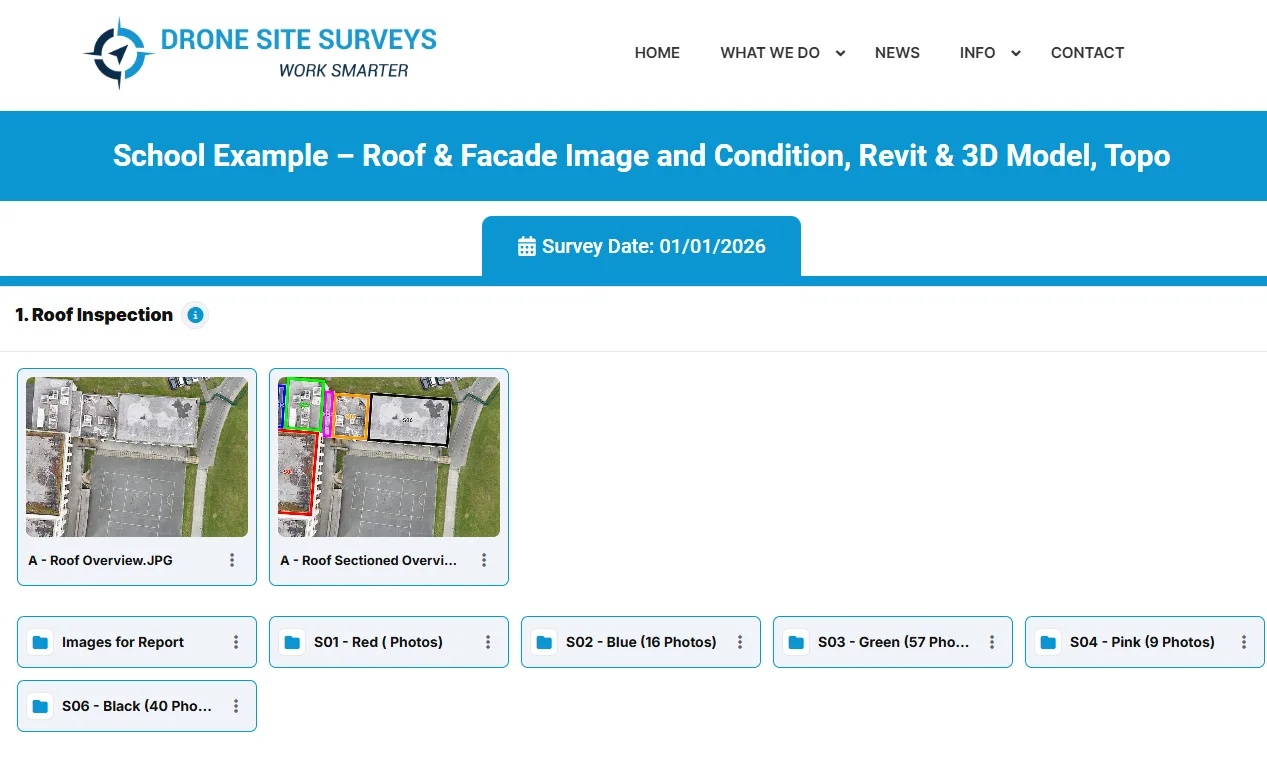
Connected outputs, one secure platform
Everything from the survey was organised in one place, ready to review and share.
One visit. Endless insight.
Plan a coordinated survey →Get every survey output you need from one visit
Tell us about your building or estate and the outputs you need, from condition imagery to Revit models. We'll come back with a clear scope and price.